01
Create the report
Enter property details, client information, inspection date, front-house photo, and report type.
Take the notes you need in the field: short phrases, plain observations, SOP selections, and item photos. GoGoReport turns that inspection evidence into polished report language for your review, so you spend less time wrestling with punctuation and more time delivering the finished report.
The workflow stays linear from inspection setup to final download. AI helps write only after the inspector asks for it.
Enter property details, client information, inspection date, front-house photo, and report type.
Go section by section through SOP-style tiles. Add short notes, item status, and item photos without polishing every sentence.
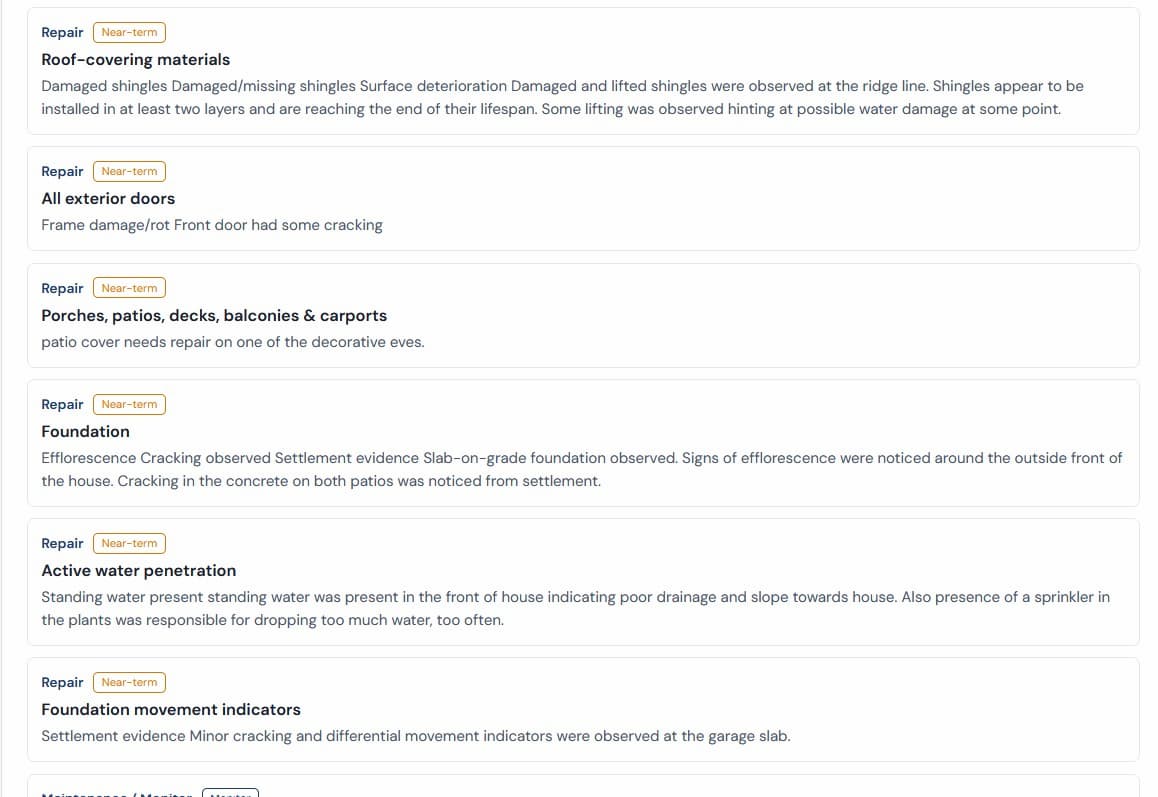
Click Complete & Write Report. AI drafts professional report language from the inspection evidence you saved.
Edit the reviewed language, generate a stored PDF, and download the same snapshot later.
The product tour shows real sample report screenshots: cover page, executive summary, detailed observations, and photo evidence in context.
No monthly subscription required. Credits are used only on first completion. Editing, revising, and downloading stored PDFs do not consume credits.
Best after your free trial.
$4 per completed report.
$3.50 per completed report.
AI drafts language from your field evidence. You review and edit before the PDF is created.
Report templates follow familiar inspection system categories and module-specific standards of practice, with room for photos and limitations.
Photos attach where they belong, so the final report keeps evidence near the relevant observation.
Completed reports generate stored PDF snapshots. Downloads do not regenerate or call AI.
Completed reports stay editable for 90 days. After that, the report locks and remains downloadable.
Use the browser-based builder from a laptop, tablet, or phone without installing desktop software.
Each report type has its own sections, prompts, PDF title, and limitations while sharing the same simple builder, review, credits, and stored PDF engine. Templates are built around standard inspection SOP categories, then extended for each specialist workflow.
SOP-style field capture, item photos, AI-assisted writing, review, and stored PDF output.
Visual and operational pool/spa reporting for structure, equipment, water appearance, safety, and limitations.
Visual and moisture assessment reports with optional inspector-entered lab result summaries from separate lab reports.
Visual mitigation system reports without radon measurement or pCi/L result interpretation.
No. Your field notes, SOP observations, and photos are the source of truth. GoGoReport helps write the report; it does not inspect for you.
AI reads your stored notes, SOP selections, and photos after you click Complete & Write Report, then drafts clear report language for your review. You can write simple field notes and let GoGoReport handle the grammar and structure.
Property / Whole House, Pool / Spa, Mold Visual + Moisture Assessment, and Radon Mitigation System reports are supported.
A credit is used only when a report is completed for the first time. Editing, revising, PDF generation after completion, and stored downloads do not consume credits.
Yes. Completed reports have a 90-day revision window. After that, the report locks and remains downloadable.
GoGoReport is focused on AI-assisted report writing rather than broad office management. See the comparison hub, including Spectora, HomeGauge, and ISN pages.
No credit card required. Create a report, capture notes and photos, review the AI-drafted language, and generate a stored PDF when you are ready.